Do your bookkeeping over WhatsApp, no app required.
WhatsApp#
Prefer WhatsApp to Telegram? AgentBook has one shared number you message to link your account — after that it works exactly like chatting with the agent anywhere else.
Connect WhatsApp#
-
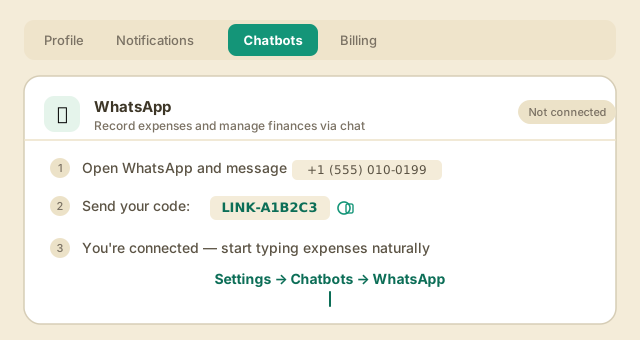
Go to Settings → Chatbots and open the WhatsApp card. It shows the AgentBook WhatsApp number and a one-time code just for you.
-
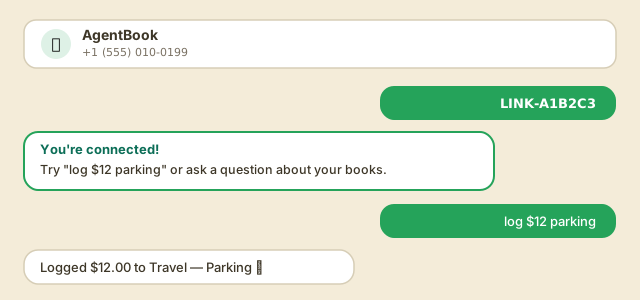
Open WhatsApp, message that number, and send your code. You'll get a confirmation reply right away — that number is now tied to your AgentBook account.
-
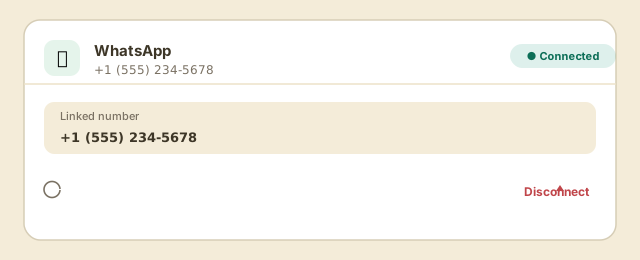
The Chatbots card now shows your linked number, and you're ready to go.
From WhatsApp you can log an expense — "log $12 parking" — ask a question about your books, or send a receipt photo or PDF and AgentBook will read it and log a draft, same as Telegram. Add a caption if you want to say what it was for.
Receipt scans count against your plan's monthly scan allowance wherever you send them from — WhatsApp, Telegram or the web. Inline buttons are still Telegram and web only; on WhatsApp, reply in words ("confirm", or "that should be Travel").
Tip: Disconnecting just unlinks your phone number — your code stays the same, so you can relink anytime without going through setup again.
Next: Ask the agent